
Pre-Inked Stamp: How To Refill Your Ink PadUpdated a day ago
Is your ExcelMark pre-inked stamp starting to leave light or faded impressions? Don't worry! A little fresh ink is all it takes to get back to making crisp, professional impressions.
Follow these easy steps to refill your ExcelMark pre-inked stamp.
What You'll Need
Before getting started, gather these supplies:
- Your ExcelMark pre-inked stamp
- ExcelMark Pre-Inked Stamp Refill Ink (2cc pipette)
- Don't have your refill ink yet? Shop Pre-ink Stamp Refill Ink
- Scissors
- Scrap paper for testing
- A clean, protected work surface
Important: Always use ink specifically formulated for ExcelMark pre-inked (flash) stamps. Standard self-inking stamp ink is not interchangeable and may damage your stamp.
For best results, refill your stamp using the same ink color originally used.

Locate the clear cover on the top of your ExcelMark pre-inked stamp.
Gently lift the bottom front edge of the clear cover on both sides.
Pull the cover straight up toward the top of the stamp, rather than outward, to avoid cracking the plastic.
Remove the index (the printed label showing your stamp design) and set it aside.
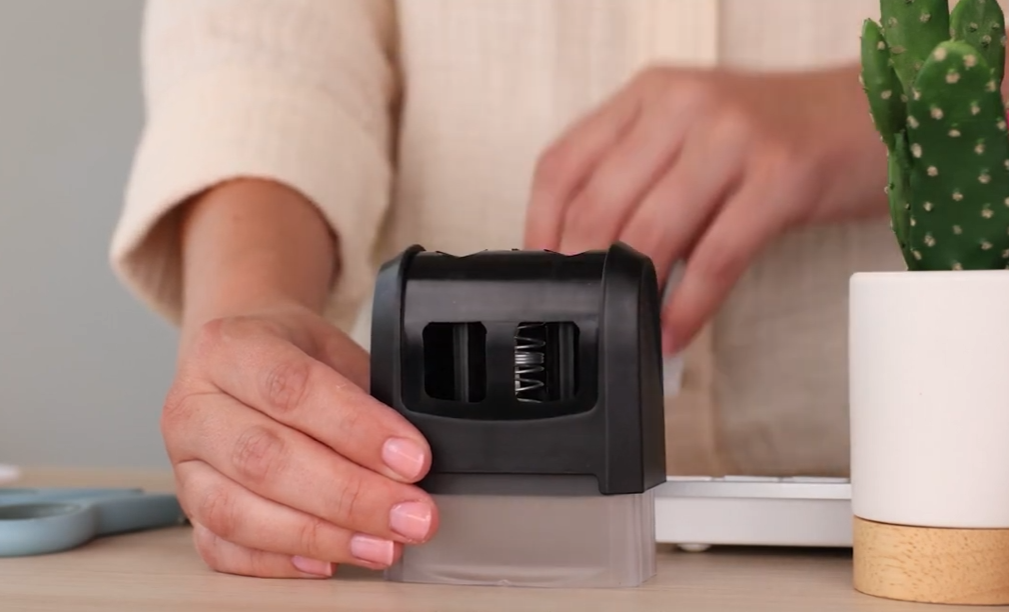
Take note of how the cover and index are positioned so you can easily put them back together.
Helpful Tip:
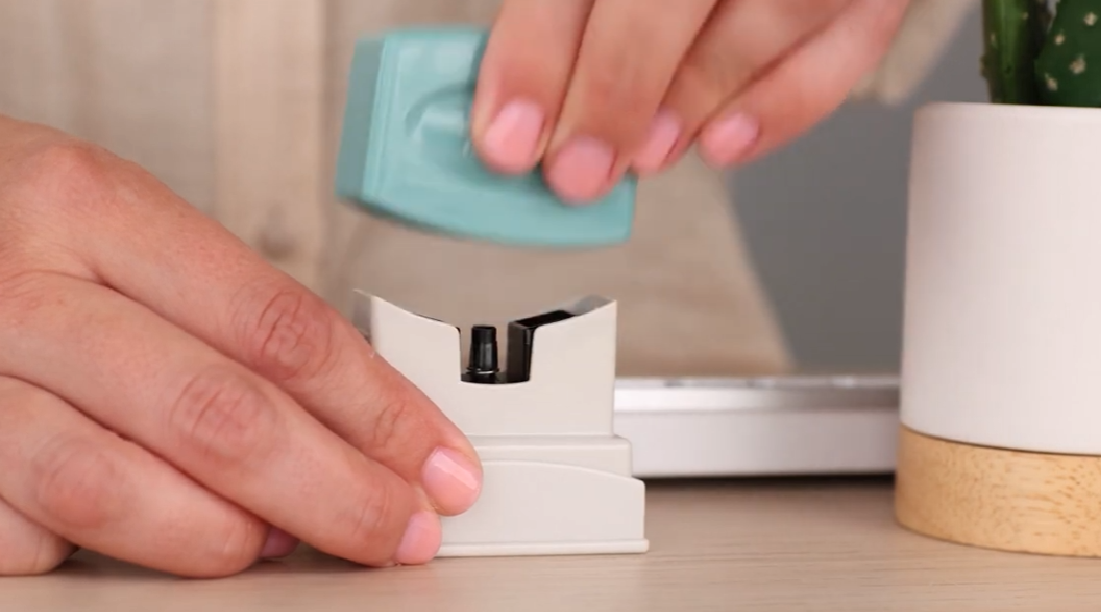
Some ExcelMark models don't have a clear cover. On these models, the top of the stamp may pull off to reveal the ink refill reservoirs.
________________________________________

Step 2: Add Ink
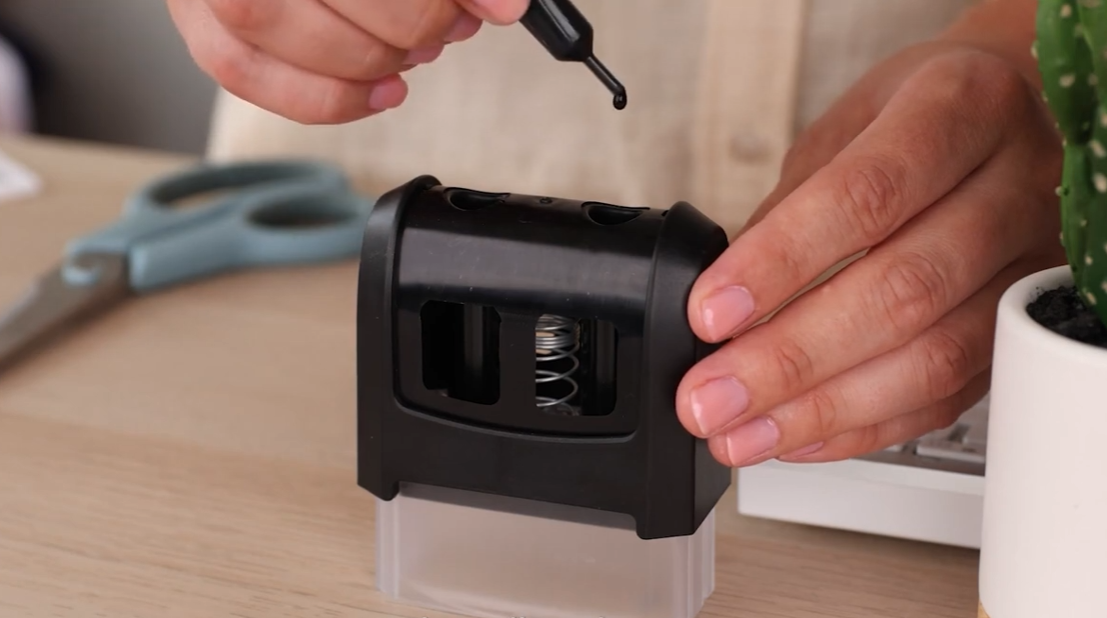
Once you've removed the cover, locate the ink refill holes.
Hold your ExcelMark refill pipette upright.
Carefully snip the tip of the pipette with scissors.
Add 4 drops of ink to each refill hole, alternating between the holes until the refill pipette is empty.
Discard the pipette after use.
_________________________________________

Step 3: Back in Place!
Carefully put the index and cover back in the same position you noted in step one, ensuring everything is aligned correctly.
_________________________________________

Step 4: Let it Sit
Give the ink 15 minutes to settle and fully migrate into the stamp. This ensures even coverage and crisp impressions - then you're all set to start stamping!
Still need help?
Our RubberStamps.com Customer Support team is happy to help you find the right refill ink and keep your stamp working like new. Message us now!